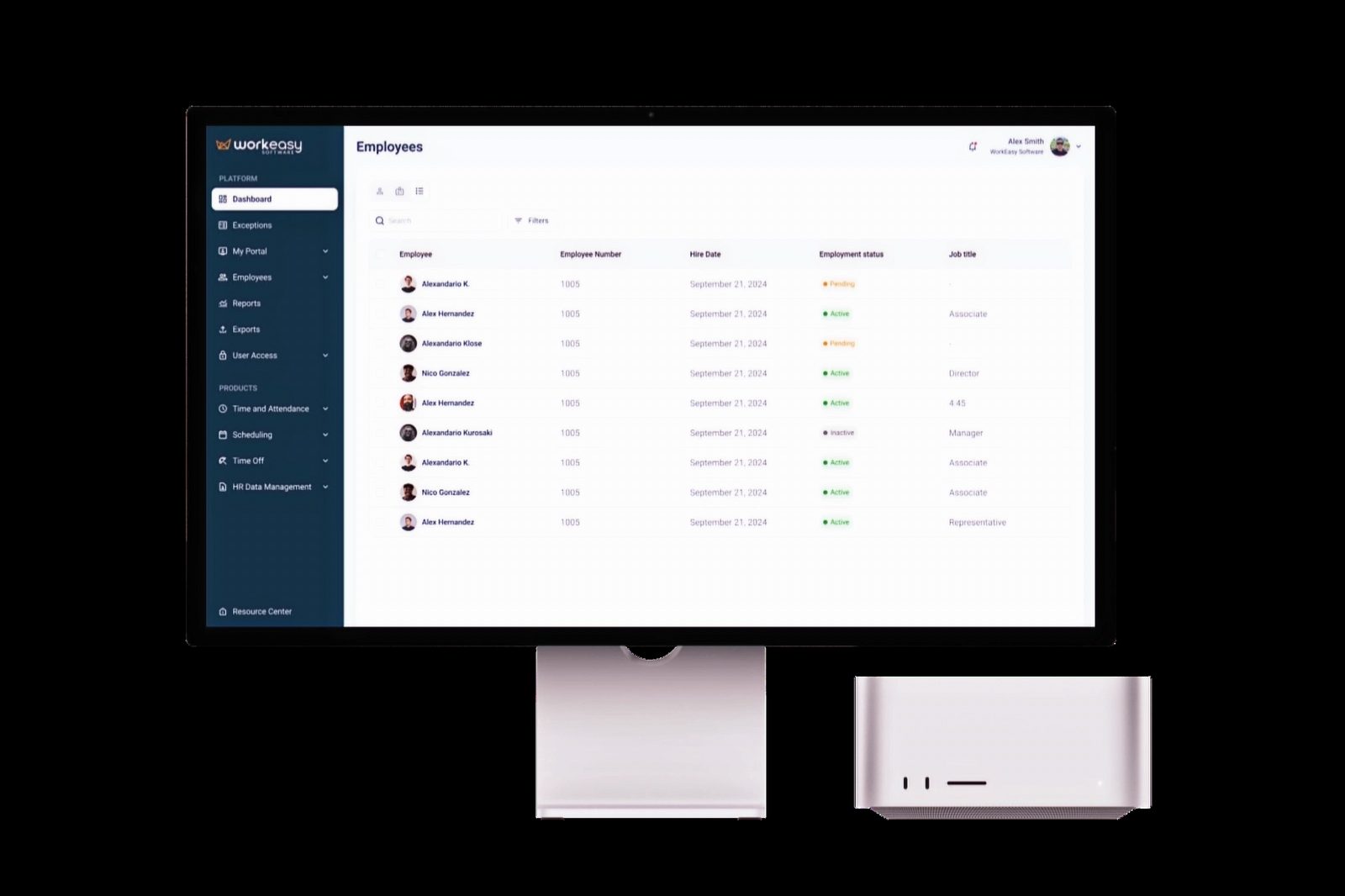
Overview
Workeasy Software's desktop platform had grown up as an engineering-first tool, with years of features layered on around internal system logic rather than how managers actually worked. I led a broader redesign of the platform's core experience across left navigation, reporting, and global settings, working alongside a distributed design team based in Pakistan.
The Challenge
Workeasy's desktop platform had grown feature by feature around its own internal system logic rather than how managers actually worked, and that showed up across three connected areas: reporting, left navigation, and global settings. Together, this made the platform hard to learn and easy to abandon, and it showed up directly in low feature discoverability and adoption.
The Approach
I grounded the redesign in direct conversations with users and a close read of support tickets to find where the real friction was in each of those three areas, then worked hands on across all three while a distributed design team based in Pakistan built out and iterated on individual flows in parallel, with frequent working sessions with product and engineering to keep scope realistic and technically grounded. I also carried over and scaled the design system originally built for the mobile app so the whole platform stayed visually and functionally consistent, and validated the changes with real users before they shipped.
Reporting
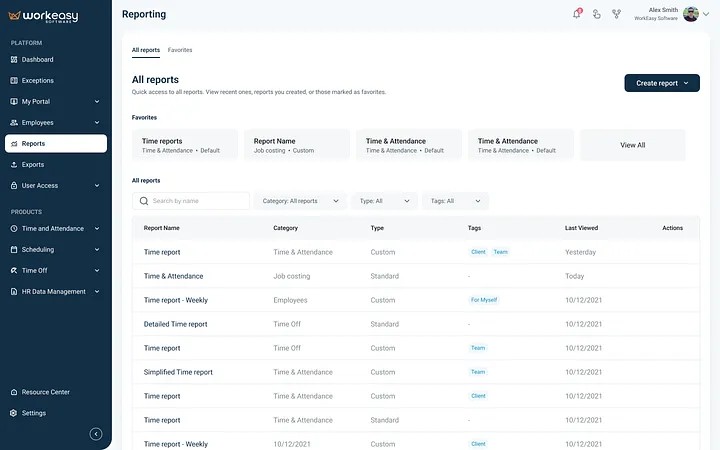
Reporting required people to hold too much context in their heads at once, moving through a dense sequence of panels just to get to the data they needed. I replaced that multi level panel sequence with dedicated pages for each step, cutting the cognitive load of pulling a report.
Left Navigation
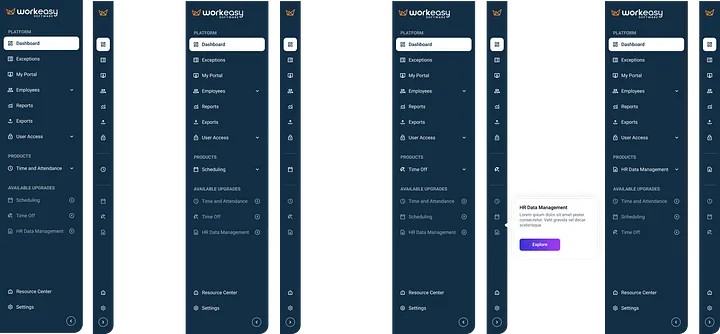
The left navigation had grown structured around the codebase rather than the tasks managers actually needed to do, and its visual language had fallen behind, generic and dated next to the rest of the product. I rebuilt it around actual manager tasks and gave it a visual refresh that moved the product from a generic, dated interface to something more considered and on brand.
Global Settings
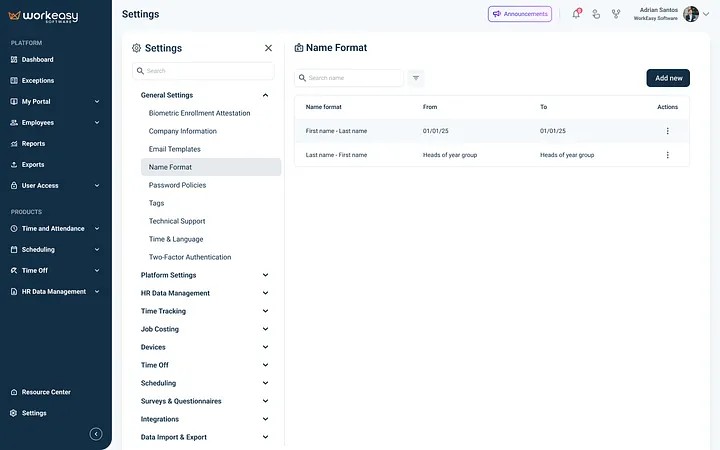
Global settings read like they were written for engineers rather than the administrators actually using them, which meant a steady stream of support tickets just to get something configured. I broke configuration into clear steps and rewrote the terminology so each setting could be understood on its own, without needing outside context.
The Outcome
The redesigned reporting experience reached 44% adoption, and together with the left navigation redesign, it helped lift platform NPS from 26 to 49. People left noticeably more positive feedback after launch, and the shared design system kept desktop and mobile patterns consistent even as the two initiatives moved on different timelines.