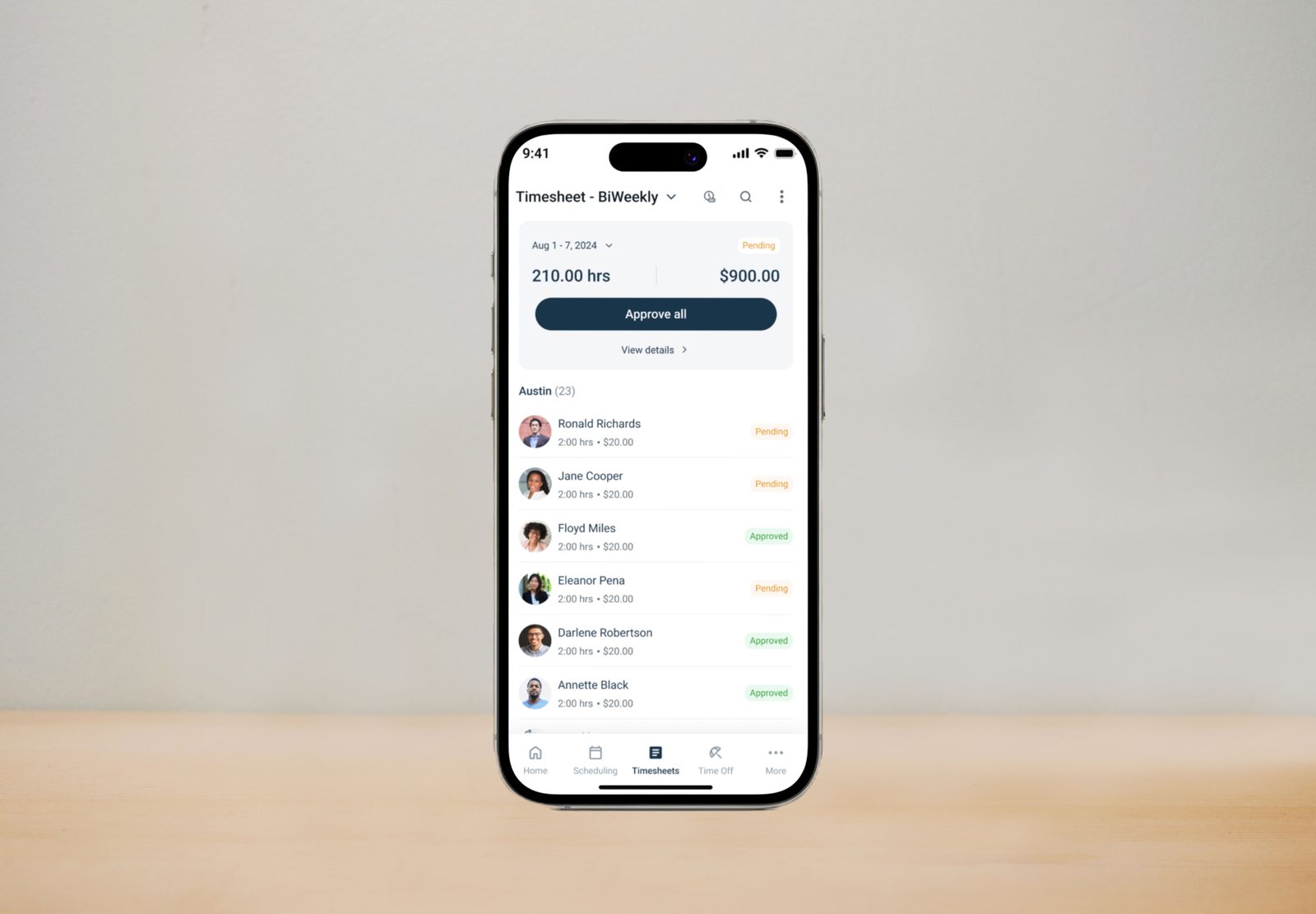
Overview
Workeasy Software's mobile app is how field teams clock in, file reports, and manage their day. As the sole designer on the initiative, I rebuilt its time tracking, scheduling, time off, and settings from the ground up.
The Challenge
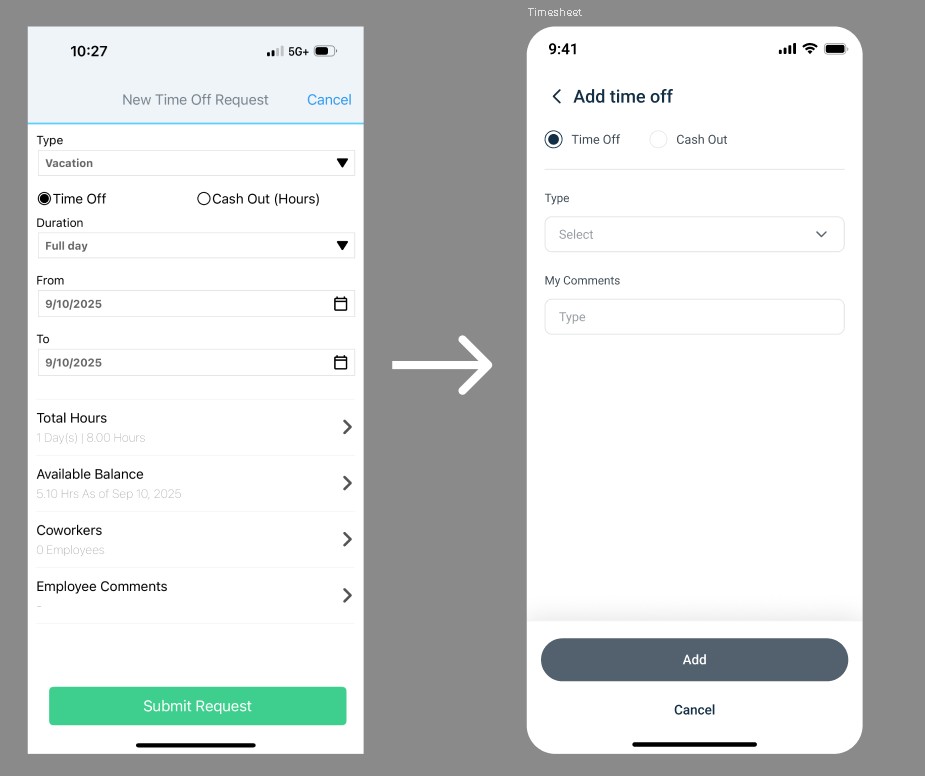
The app's information architecture had grown organically over time, to the point that its underlying logic was fully understood by only a couple of people at the company. A few screens from the app at the time show what that looked like day to day.
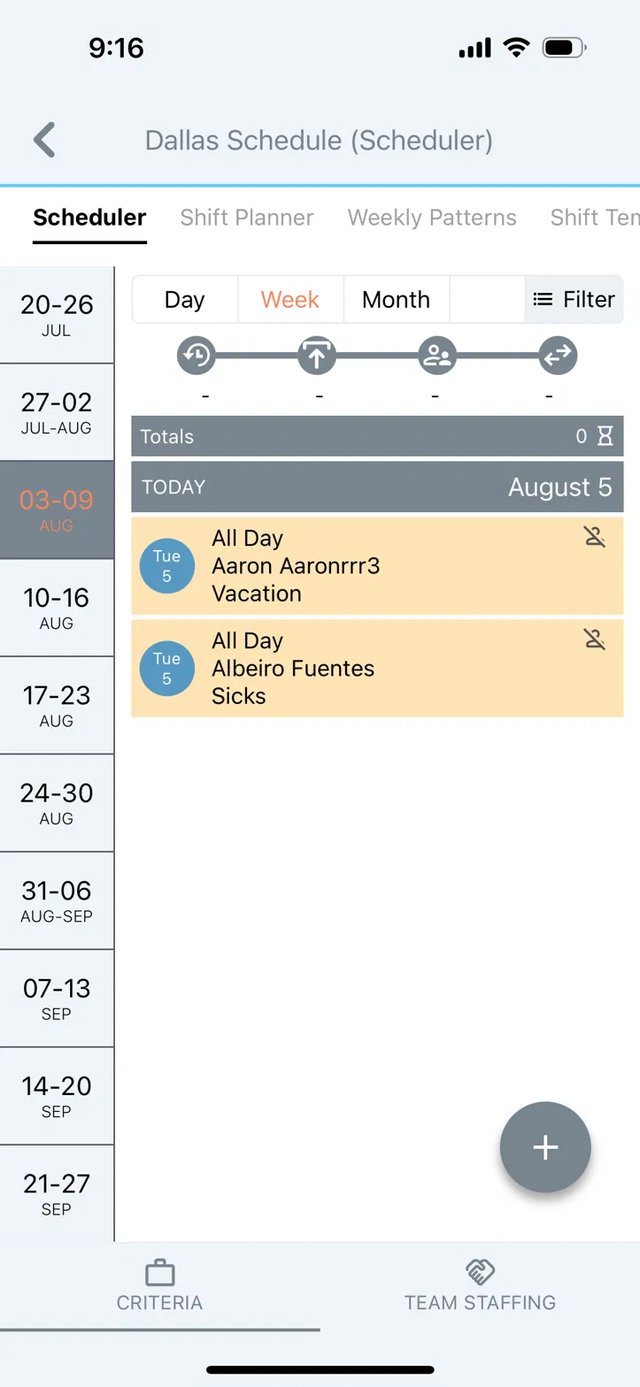
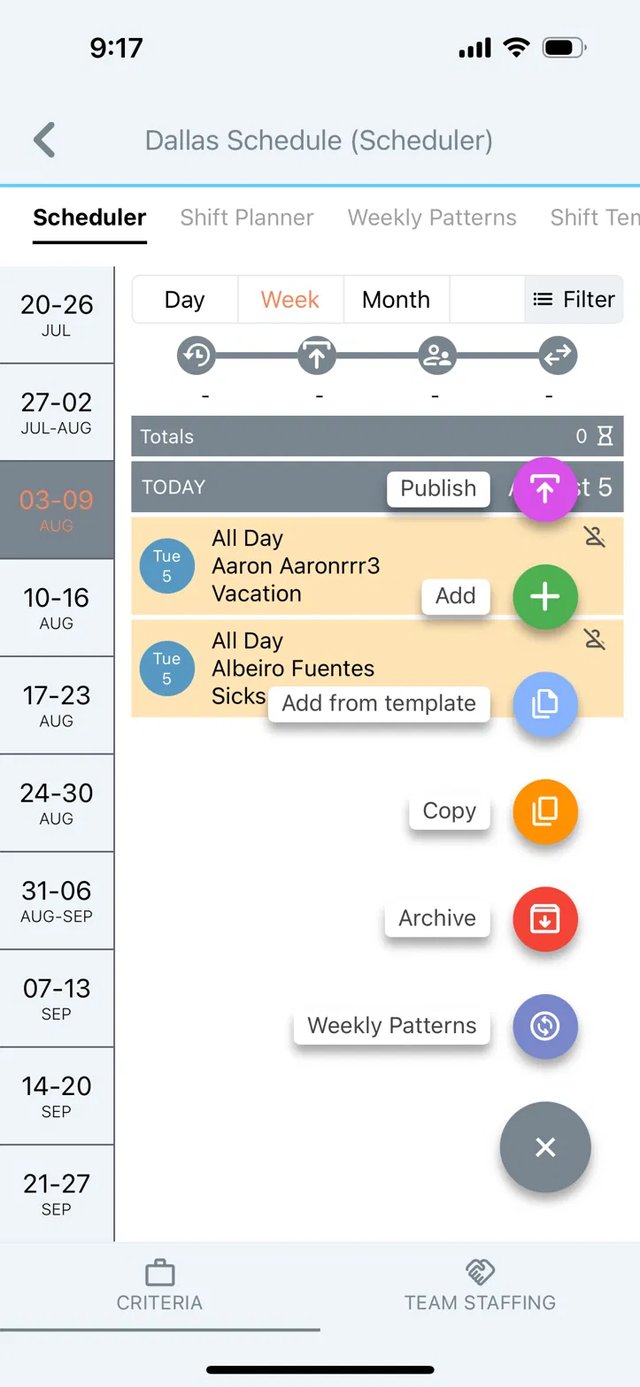
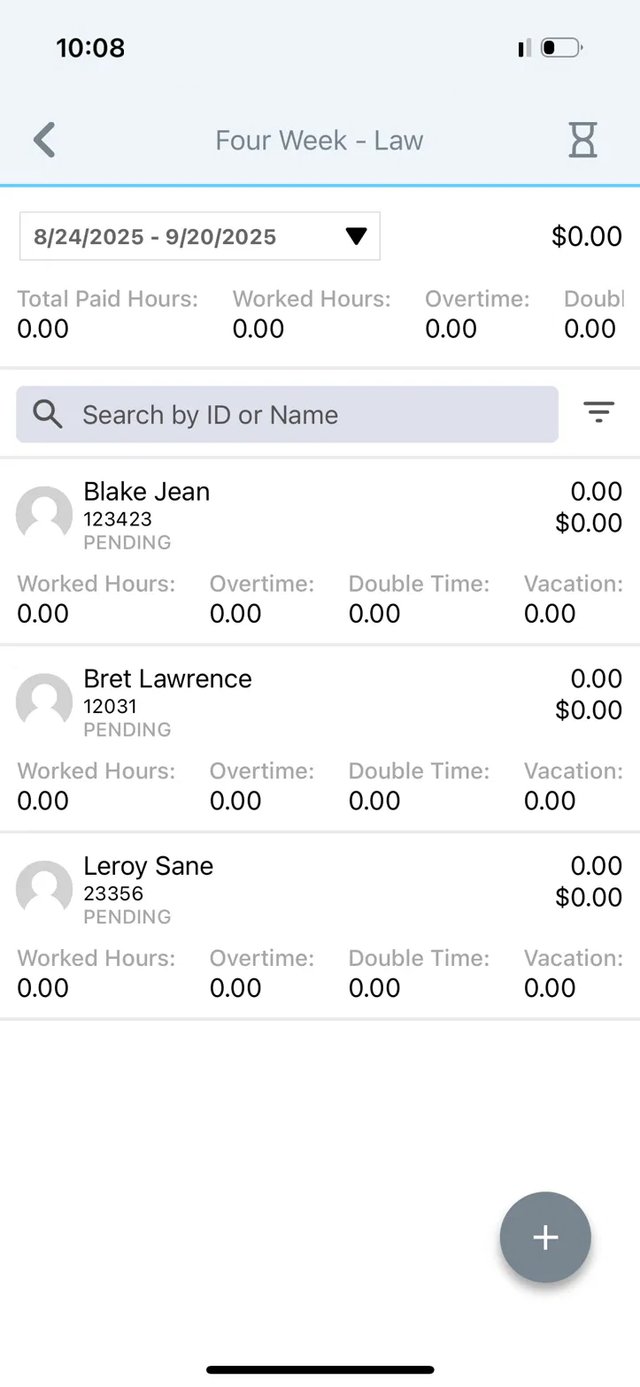
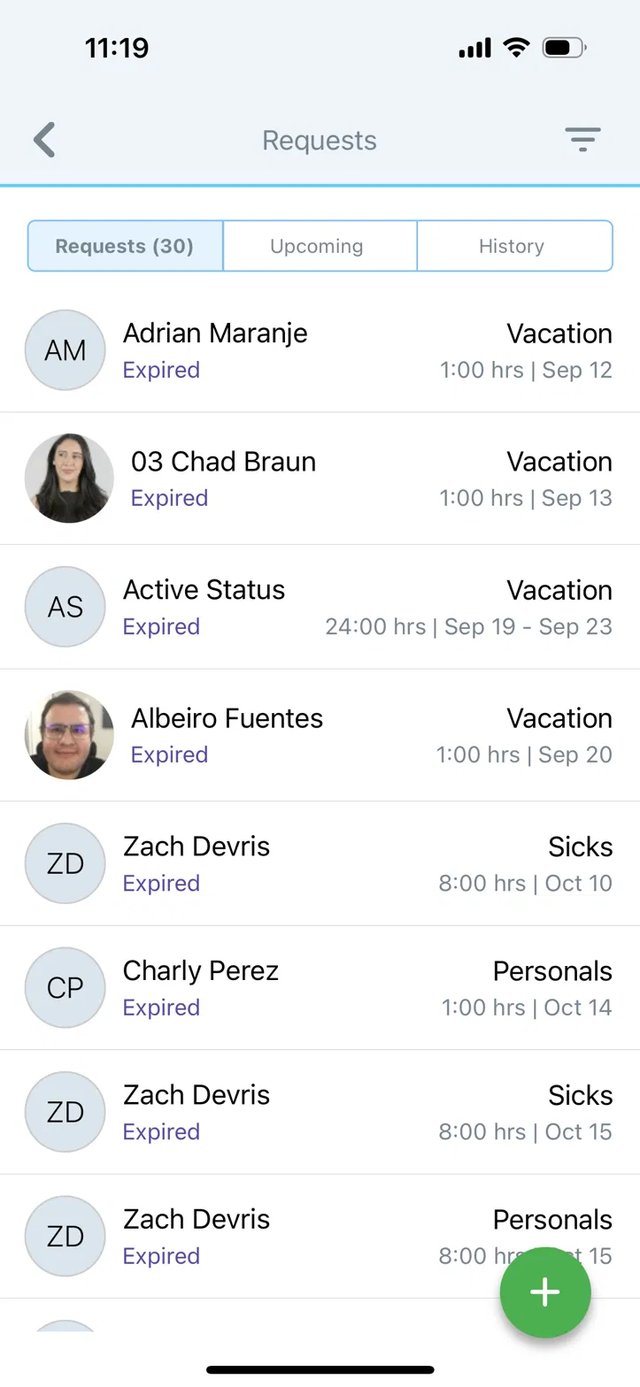
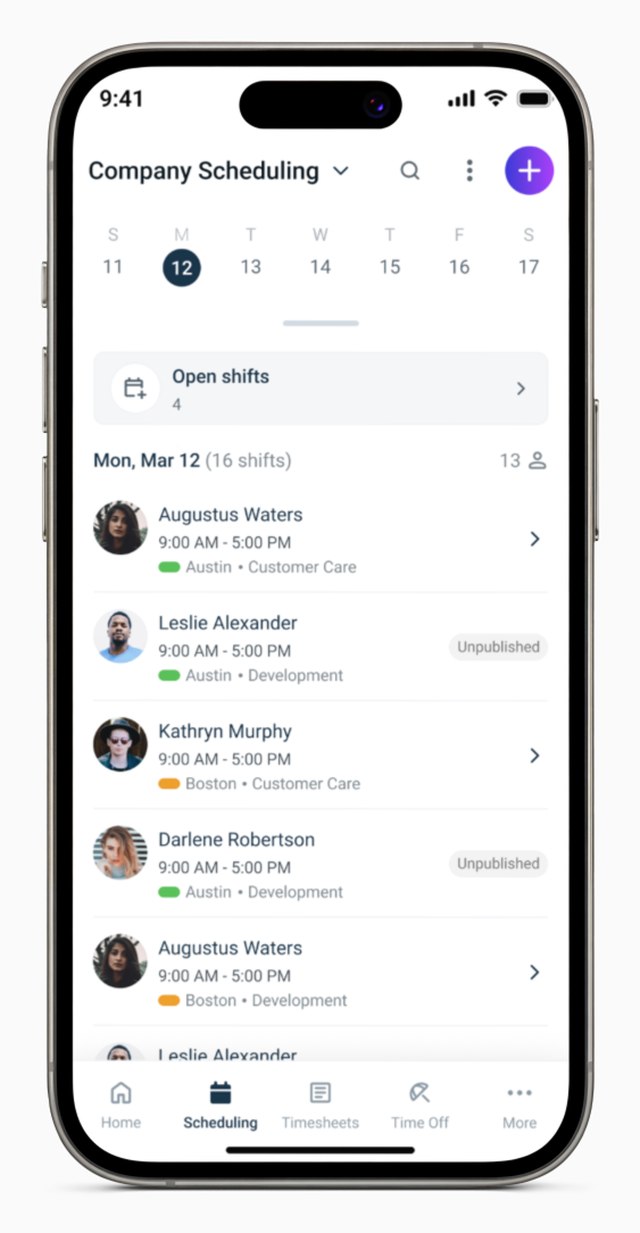
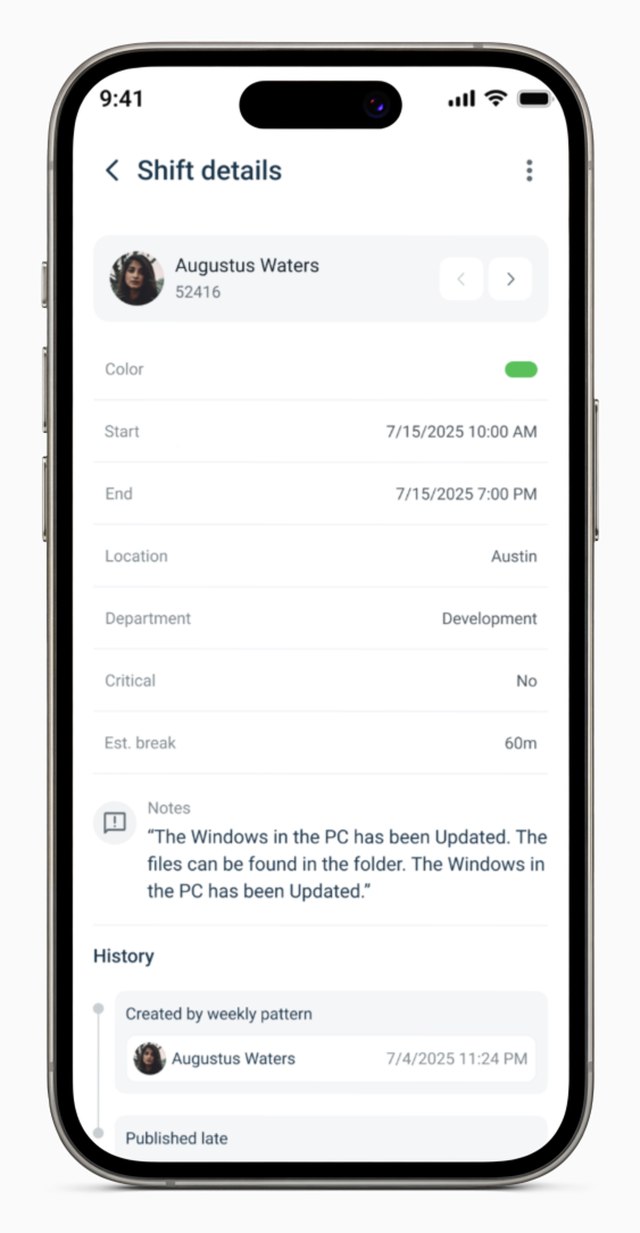
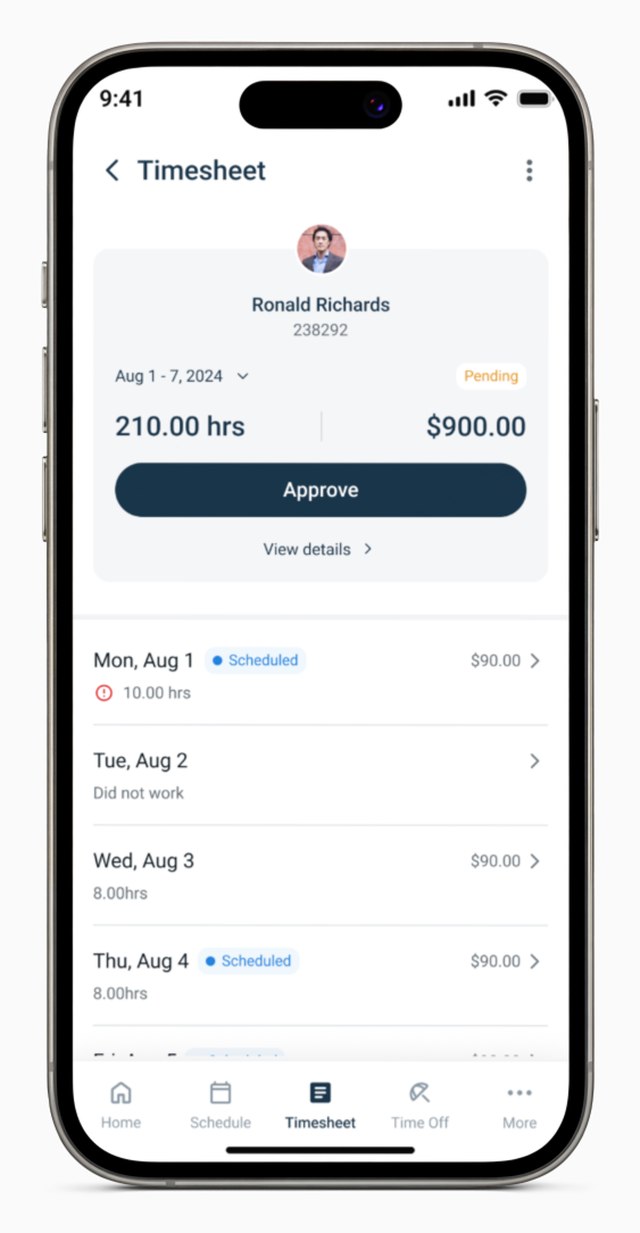
The scheduler packed four unlabeled icon buttons into its toolbar, next to a row of tabs that ran off the edge of the screen, so people had to tap around just to find out what anything did. Taking action on a shift opened a stack of six brightly colored, unlabeled buttons directly on top of the schedule, which was easy to mistap and hard to read at a glance. Data heavy screens built for a desktop monitor, like the four week approval table, got clipped at the edge on a phone, cutting off columns like overtime and double time entirely. And time off requests often only showed up in the main list after they had already expired, so managers were seeing them too late to act on.
The Approach
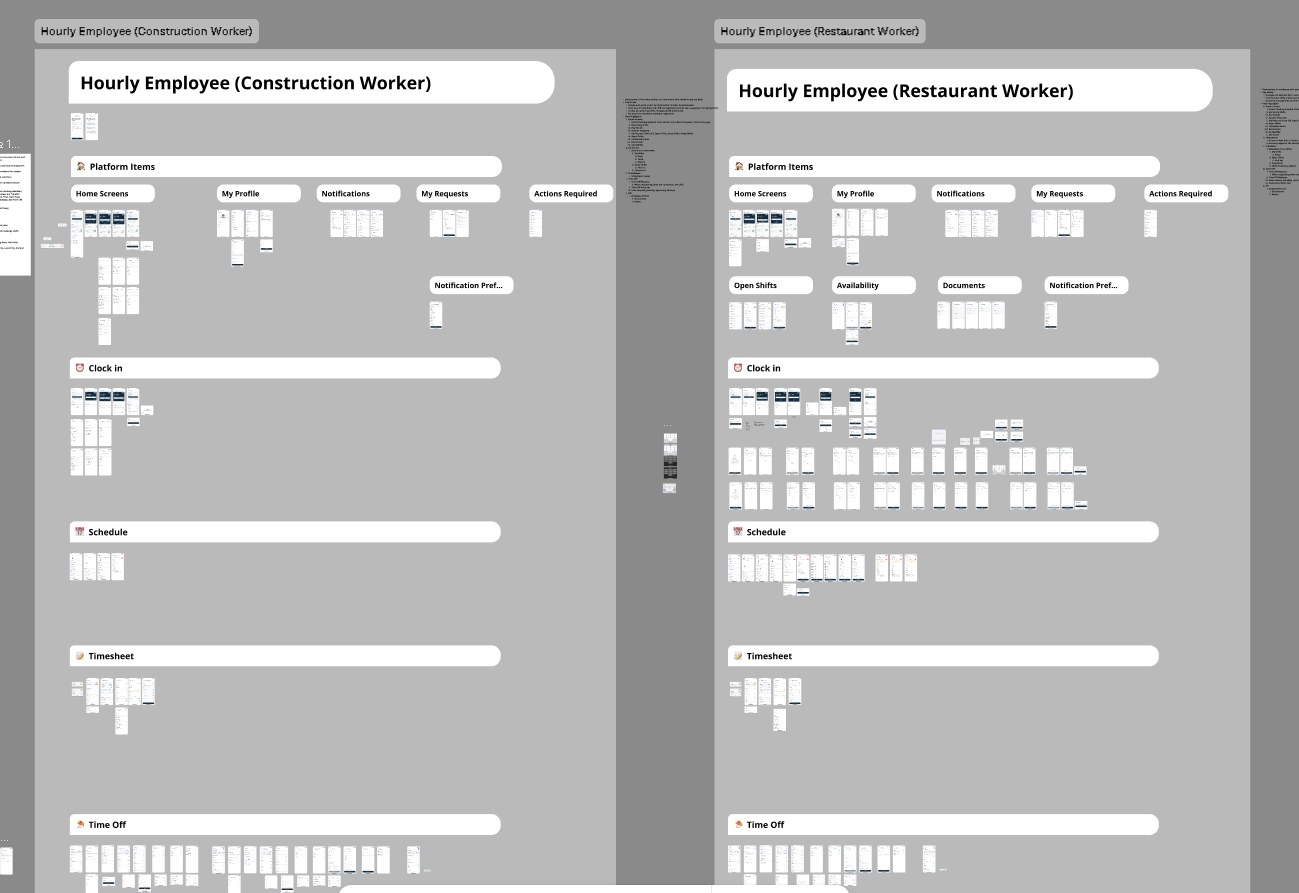
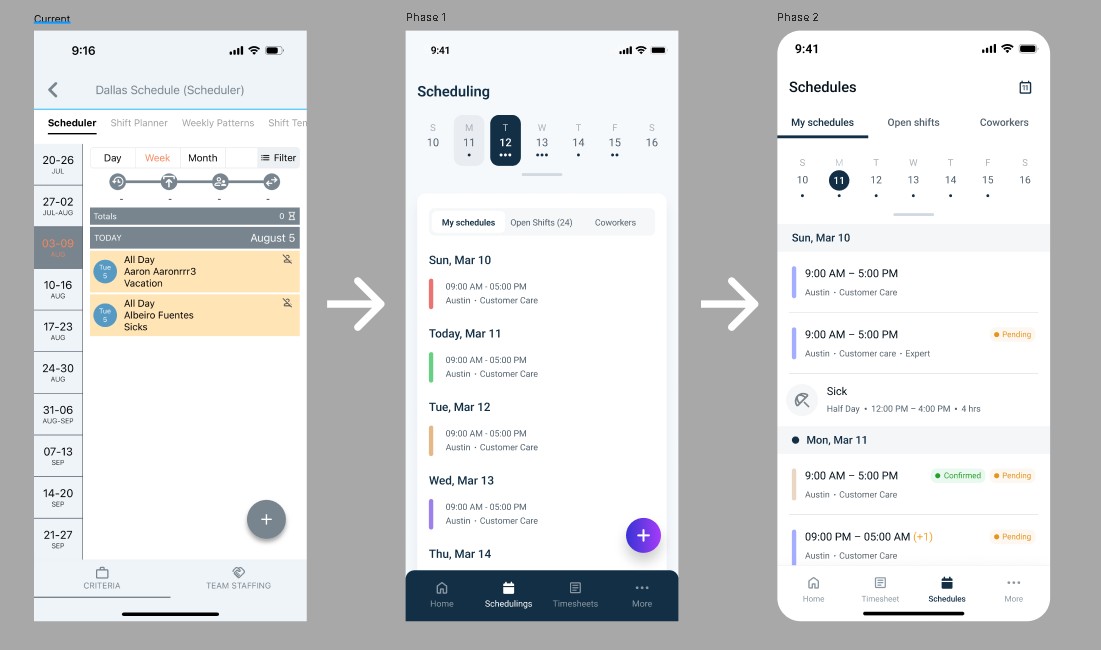
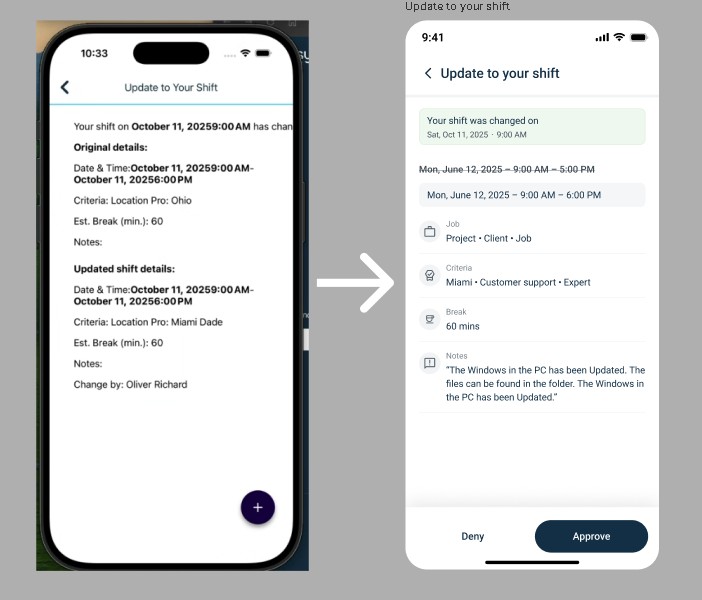
I spent weeks mapping the existing information architecture and data flows to understand the system before trying to change it, then benchmarked it against enterprise tools like ADP, UKG, and BambooHR as well as consumer products like ClickUp, Shopify, and Coinbase to see what separated software people tolerate from software people actually enjoy using. The app served frontline roles as different as construction crews and restaurant staff, so instead of assuming one navigation would fit everyone, I mapped each persona's flow on its own, since their home screens, requests, and day to day actions genuinely differed. Working largely on my own, I rebuilt time tracking, scheduling, and time off around how field teams think about their day rather than the system's internal structure, brought navigation and settings in line with that same logic, and extended a consistent design system across the whole app. That meant replacing icon-only controls with labeled, purposeful actions, cutting an overloaded action menu down to what people actually needed in the moment, and rethinking data heavy tables like approvals specifically for a phone screen instead of just shrinking down the desktop version. Screens like scheduling went through multiple phases before I locked down structure and hierarchy, rather than shipping the first version that worked. I presented progress to company leadership every week and used AI assisted workflows, including Figma Make, Claude, and ChatGPT, to move quickly from research to shippable interfaces.
The Outcome
The redesign was validated through internal testing and leadership review ahead of launch, but about a month before it was set to ship, the company went through a round of layoffs that ended my time there along with the project itself. Not every project reaches the people it's designed for, even when the work behind it is sound, and the design system built during this effort carried forward into the desktop platform redesign that followed.